
Use this guide to compare guest usability, charging compatibility, display behavior, power, bedside placement and maintenance before a hotel rollout.
Before planning a guestroom pilot, compare 1960 ambient-light charging clock, W120 multi-device charging clock, W101 compact charging clock and confirm the requirements for your project.
Who This Guide Is For
This guide is written for hotel procurement managers, hospitality designers, and property management teams who are evaluating wireless charging clocks for guest room installations. You may be:
- Upgrading existing bedside clocks to include wireless charging capability
- Furnishing a new hotel property or renovated floor
- Replacing outdated alarm clocks with modern charging solutions
- Standardizing bedside electronics across multiple properties
- Responding to guest requests for in-room device charging
The core question: What features, design considerations, and operational factors should you evaluate when selecting a wireless charging clock for hotel guest rooms?
Quick Decision Guide
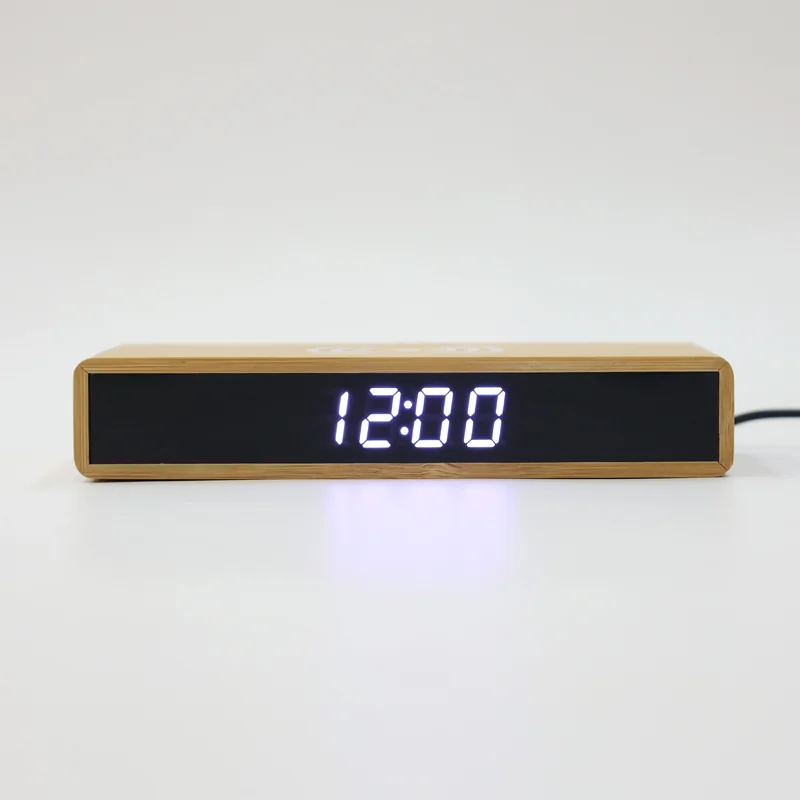
If you need immediate direction:
| Your Priority | Key Features to Confirm | Recommended Models |
|---|---|---|
| Simple guest controls, minimal learning curve | Large buttons, clear labels, intuitive layout | W101, W102, W106 (compact LED clocks) |
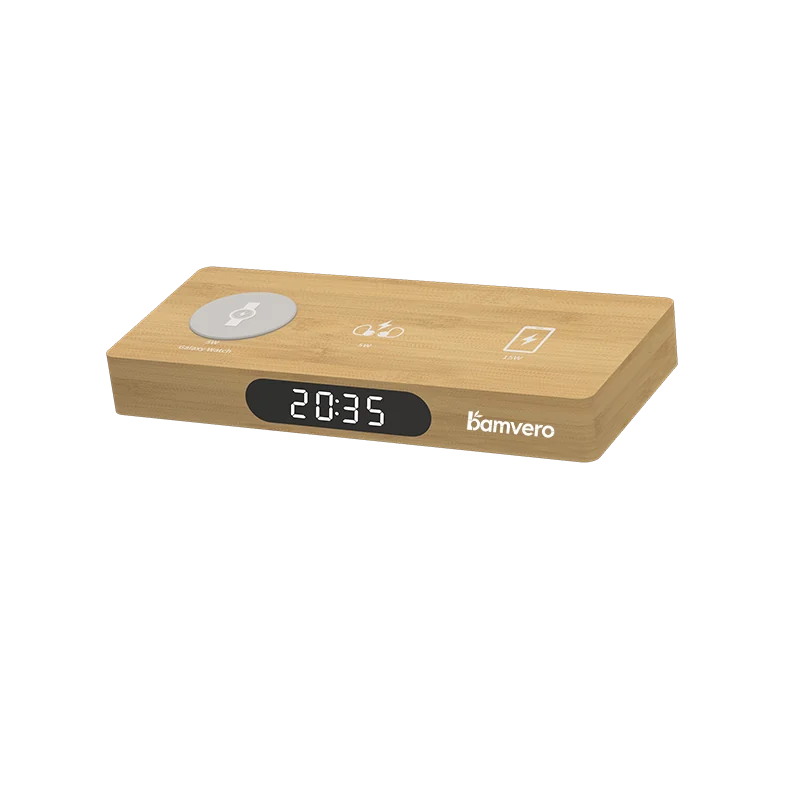
| Multi-device charging for business travelers | 3-in-1 charging (phone + watch + earbuds) | W120 (multi-device charging station) |
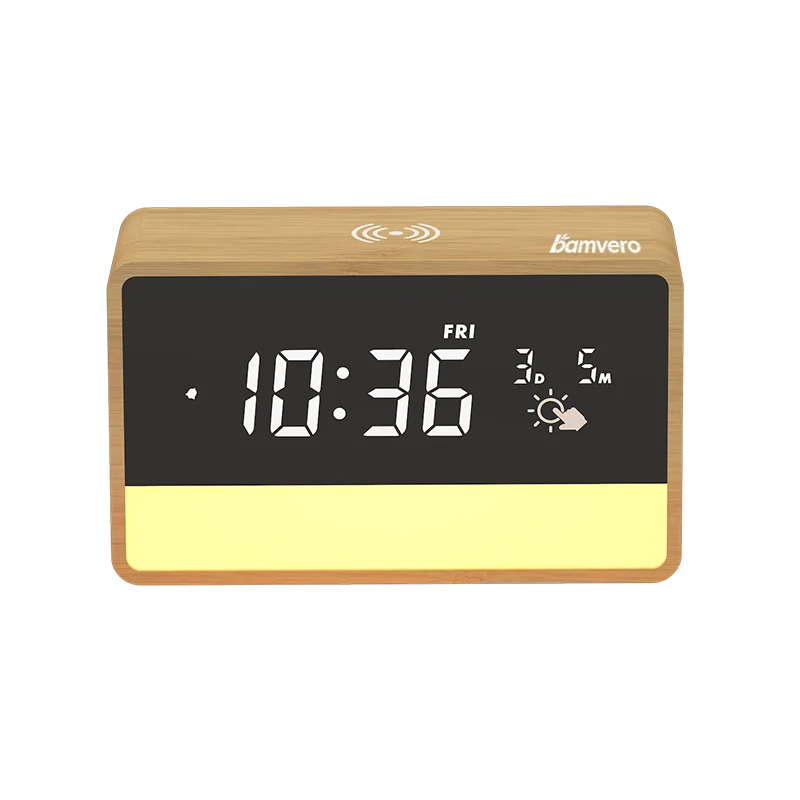
| Ambient night light for guest comfort | Touch-control lighting, adjustable brightness | 1960 (charging clock with ambient light) |
| Space-saving for small nightstands | Compact footprint, <15cm width | W101, W102, 1299 (slim profile models) |
| Durability and easy cleaning | Smooth bamboo surface, minimal crevices | W106, W109 (sealed design, wipeable) |
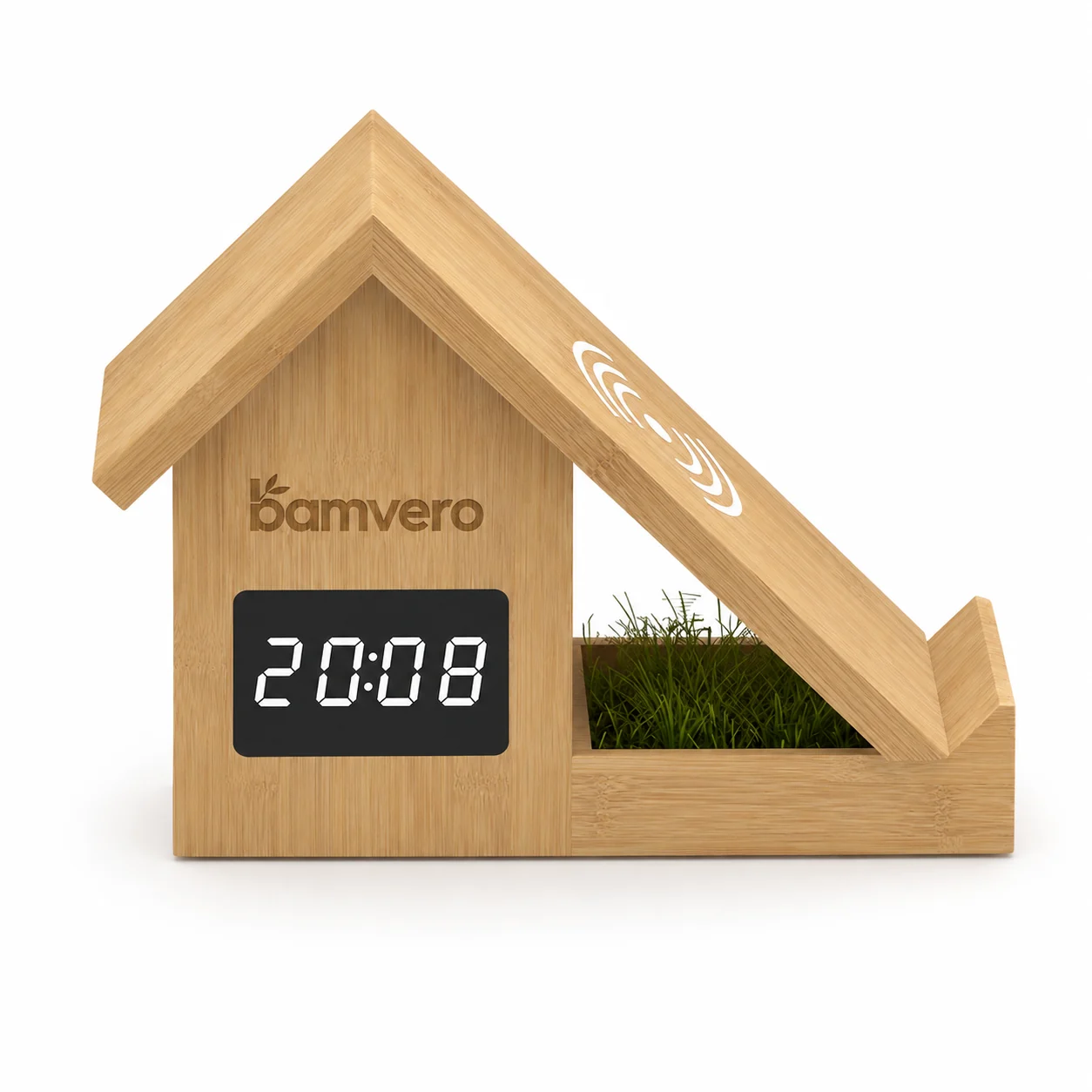
| Premium suite or executive floor | Distinctive design, high-quality finish | F011 (house-shaped), Arch clock lamp |
Section 1: Why Hotels Are Adding Wireless Charging Clocks
1.1 Guest Expectations in 2026
Modern hotel guests expect in-room charging solutions. Wireless charging clocks address multiple guest needs in a single device:
- Device charging: Guests no longer need to search for outlets behind furniture or bring multiple charging cables
- Time display: Essential for wake-up, meeting preparation, and checkout planning
- Alarm function: Self-service wake-up without calling front desk (reduces operational load)
- Night visibility: LED display provides low-level ambient light for nighttime navigation
1.2 Operational Benefits for Hotels
Reduced Front Desk Requests:
- Fewer calls for wake-up service
- Fewer requests to borrow charging cables
- Fewer complaints about insufficient power outlets
Simplified Room Setup:
- One device replaces separate clock and charging accessories
- Standardized placement on bedside table
- Easier housekeeping cleaning routine (one device instead of multiple cables)
Brand Differentiation:
- Bamboo material aligns with sustainability messaging
- Modern amenity appeals to business and leisure travelers
- Supports marketing claims about eco-friendly property features
1.3 Guest Behavior Considerations
Hotels should select models based on actual guest behavior:
- Short stays (1-2 nights): Guests prioritize simple controls and immediate functionality. Complex multi-button clocks frustrate guests who won't invest time learning the system.
- Business travelers: Expect fast wireless charging (15W) and multi-device charging capability.
- Family and leisure travelers: Appreciate ambient night light and simple alarm setting.
- International guests: Benefit from intuitive controls that don't require reading detailed instructions.
Section 2: Key Features for Hotel Bedside Wireless Charging Clocks
2.1 Display Type and Readability
Large LED Digits (Recommended for Most Hotels):
- White or amber LED display
- Digit size and contrast suitable for the actual bed-to-nightstand viewing distance
- Adjustable brightness: Essential for guest comfort (bright enough for daytime visibility, dim enough for sleep)
- Always-on display: No button press required to see time
Models with Large LED Display: W101, W102, W106, W109, W111, W118
LCD Display (Alternative for Budget-Conscious Properties):
- Lower power consumption
- Usually requires button press or backlight activation to see time in darkness
- Common in basic digital alarm clocks
Models with LCD Display: 1906 (includes temperature and humidity), 1299 Basic
Recommendation: For guest-facing rooms, prioritize LED displays with adjustable brightness. Guests should be able to see the time immediately when they wake up, without searching for a button.
2.2 Control Simplicity
Hotel guests will not read instruction manuals. Controls must be immediately intuitive.
Essential Controls:
- Time setting: Ideally accessed via smartphone app or pre-set by hotel staff (guests should not need to set time)
- Alarm setting: Simple UP/DOWN buttons or rotating dial (not multi-step button combinations)
- Alarm on/off: Single button or switch (not buried in menu system)
- Display brightness: Touch control or physical slider (optional but valued by guests)
Red Flags to Avoid:
- Multi-function buttons requiring long-press or double-press sequences
- Alarm settings that require holding multiple buttons simultaneously
- Hidden controls on the back or bottom of the device
- Settings that reset to default when unplugged
Recommended Approach: Request a sample unit and test the alarm setting process. If it takes more than 30 seconds to set an alarm, the model is too complex for hotel use.
2.3 Wireless Charging Compatibility and Power
10W Wireless Charging:
- Compatibility with the hotel's representative guest devices, cases and charging profiles
- Charging speed: Adequate for overnight charging (6-8 hours)
- Suitable for budget and mid-range properties
15W Wireless Charging:
- Faster charging for compatible devices (Samsung Galaxy S21+, newer iPhones with MagSafe)
- Better guest experience for business travelers charging between meetings
- Recommended for business hotels, executive floors, and premium properties
Charging Surface Design:
- Flat top surface: Easier for guests to place phone (recommended)
- Recessed or angled surface: May guide phone placement but can confuse guests unfamiliar with wireless charging
- Charging indicator light: Should be subtle (not bright enough to disturb sleep)
Guest Instruction: Place a small bedside card with simple instructions:
Wireless Charging:
Place your phone flat on the clock surface.
Charging indicator will glow when charging begins.
Compatibility varies by phone, case, charging profile and the exact clock model; ask the front desk if charging does not begin.
2.4 Power Input and Backup
Power Input Type:
- USB-C: Modern standard, easy to replace if cable is damaged
- DC adapter: Proprietary adapter, requires stocking replacement adapters
- Built-in cable: Cannot be easily replaced, but prevents cable theft
Recommendation for Hotels: Prefer a replaceable, documented power connection where it fits the property standard. Confirm the required adapter output and keep approved replacement cables or adapters for the selected model.
Battery Backup (Optional): Some models include a small battery backup to preserve time settings during power outages or when unplugged for cleaning. Confirm whether your selected model includes backup power, and decide if this feature justifies any additional cost.
2.5 Material and Durability Considerations
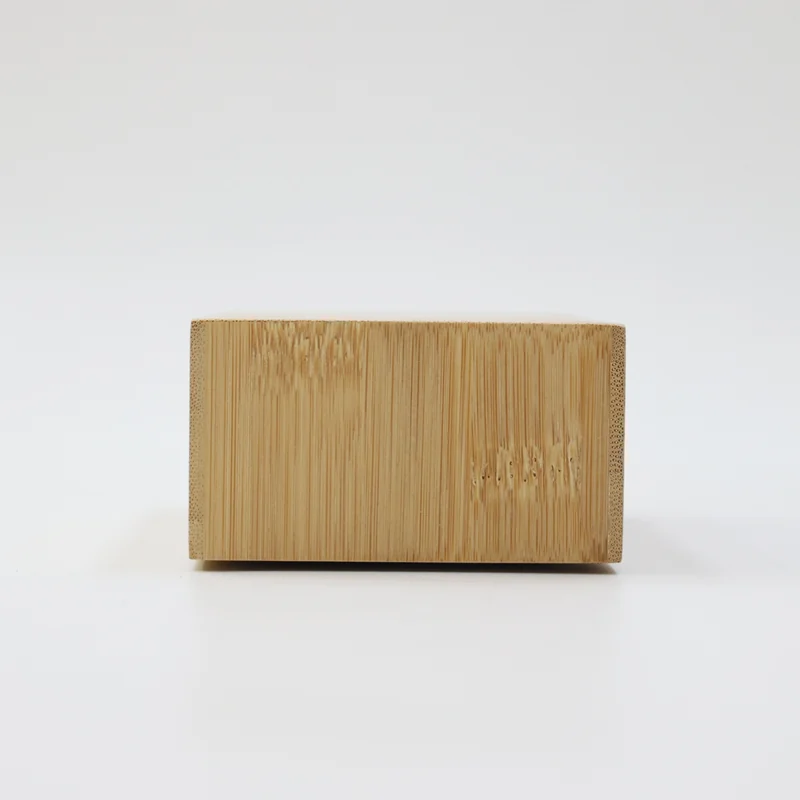
Bamboo Surface:
- Natural bamboo develops slight color variation over time (not a defect)
- Wipeable with damp cloth and mild cleaner (confirm cleaning instructions with supplier)
- Finish durability must be verified through the property's cleaning and handling pilot
- Aligns with sustainability messaging
Sealed vs Open Design:
- Sealed design: Fewer gaps and crevices, easier to clean, dust doesn't accumulate inside
- Open design: May have visible speaker grills, button gaps, or ventilation slots that require more careful cleaning
Recommendation: For hotel environments, prioritize sealed or minimal-gap designs. Request cleaning and maintenance instructions from supplier before specifying a model.
Section 3: Model Selection by Hotel Type
3.1 Budget and Economy Hotels
Guest Priorities:
- Simple functionality
- Reliable alarm
- Clear time display
Recommended Features:
- Compact LED clock with 10W wireless charging
- Basic alarm function (no radio, no Bluetooth)
- Simple button controls
- Durable bamboo surface
Suggested Models: W101, W102, W106, 1299 Basic
Procurement Approach: Select a small group of candidate models and test them in actual guest rooms for a defined pilot period. Collect feedback from front desk (guest complaints or requests) and housekeeping (cleaning difficulty). Select the model with the fewest operational issues.
3.2 Business and Upscale Hotels
Guest Priorities:
- Fast wireless charging (15W)
- Multi-device charging capability
- Professional appearance
- Minimal setup time
Recommended Features:
- 15W wireless charging (faster charging for business travelers between meetings)
- Multi-device charging for phone + watch + earbuds (W120)
- LED display with auto-dimming or adjustable brightness
- Premium bamboo finish
Suggested Models: W120 (multi-device), W125 (if desk space allows pen holder function), 1960 (ambient light for guest comfort)
Procurement Approach: Specify 15W wireless charging as a requirement. Test guest experience with multi-device models on executive floors first. If feedback is positive, expand to standard rooms.
3.3 Boutique and Design Hotels
Guest Priorities:
- Aesthetic integration with room design
- Unique or distinctive products
- Sustainability story
Recommended Features:
- Distinctive form factor (house-shaped, arch-shaped, or custom design)
- High-quality bamboo finish (natural grain visible)
- Ambient lighting or decorative elements
- A material story supported by supplier documentation and the actual finish
Suggested Models: F011 (house-shaped), Arch clock lamp, 1960 (ambient light)
Procurement Approach: Ask the supplier for evidence before making FSC or other responsible-sourcing claims. Request branding or finish options that align with the property design language.
3.4 Extended Stay and Apartment Hotels
Guest Priorities:
- Multi-day functionality
- Desk workspace charging
- Personal device storage
Recommended Features:
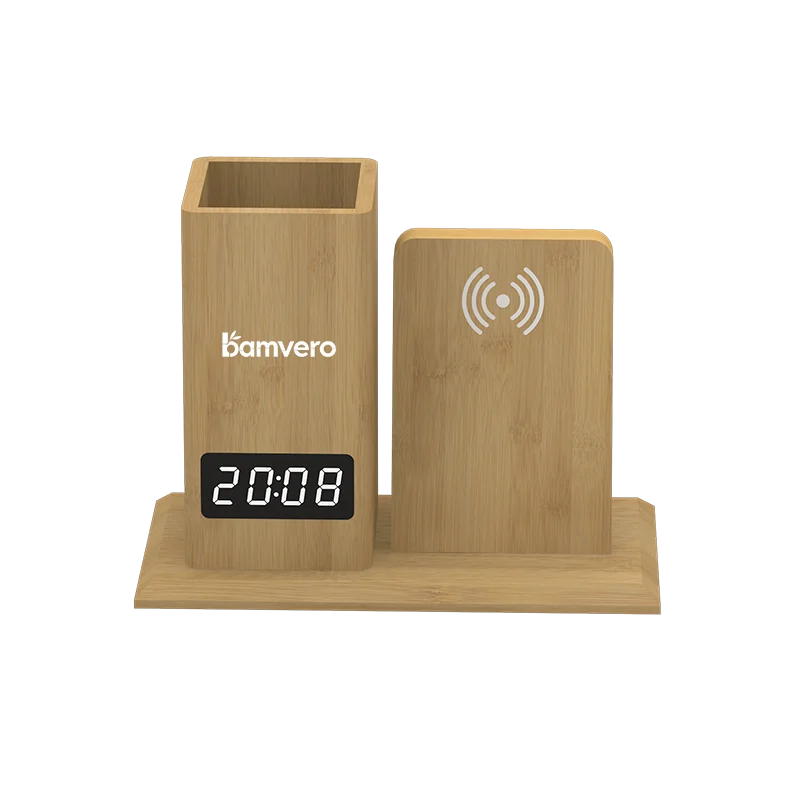
- Desk organizer with wireless charging (W119, W125)
- Multiple device charging capability
- Storage compartments for business cards, pens, small items
- Stable and functional for work-from-room guests
Suggested Models: W119 (desk organizer), W125 (pen holder), W120 (multi-device charging)
Procurement Approach: Place charging clocks on both bedside tables and desks. Bedside clocks should prioritize sleep-friendly features (dim display, simple alarm). Desk clocks should prioritize workspace function (pen storage, multi-device charging).
Section 4: Installation and Placement Considerations
4.1 Bedside Table Compatibility
Measure Existing Nightstands:
- Available surface area (many hotel nightstands have lamps, phones, and notepads)
- Height from floor (guests should be able to see clock display from bed)
- Access to power outlets (avoid running cables across guest pathways)
Recommended Placement:
- Position clock toward the front edge of nightstand (easier for guest to reach)
- Ensure power cable routes to outlet without crossing guest walkways
- Leave space for guest's personal items (phone not charging, glasses, wallet)
Space-Saving Models: For small nightstands (common in urban and compact properties), choose models with footprints <15cm × 15cm: W101, W102, W106, 1299 Basic.
4.2 Cable Management
Visible Cable Issues:
- Cables draped across nightstand surface create visual clutter
- Cables dangling to floor are tripping hazards and look unprofessional
Cable Management Solutions:
- Adhesive cable clips on nightstand back edge
- Cable channels built into nightstand design (coordinate with furniture supplier)
- Short cables (0.5-1.0m) reduce excess cable length
- Cable color matched to nightstand or wall color (white, black, or wood-tone)
Maintenance Consideration: Housekeeping staff should be trained to check cable connections during turnover. Loose cables reduce wireless charging function and generate guest complaints.
4.3 Guest Instructions and Support
Bedside Instruction Card: Create a small, waterproof instruction card (size of a business card) placed next to the clock:
BEDSIDE WIRELESS CHARGING CLOCK

Time & Alarm:
• Press [ALARM] button to set wake-up time
• Press [ON/OFF] to activate alarm
• Alarm sounds until you press any button

Wireless Charging:
• Place phone flat on top surface
• Small light indicates charging
• Compatibility depends on the phone, case and selected clock model

Need help? Call Front Desk [extension]
Front Desk Training: Ensure front desk staff know:
- Which rooms have wireless charging clocks (all rooms, or specific room types)
- Basic troubleshooting: "Make sure your phone is placed flat on the surface" and "Try removing phone case if charging doesn't start"
- Which phone models are compatible (provide a simple list or script)
Section 5: Procurement and Maintenance Planning
5.1 Order Quantity Planning
Calculate Total Need:
- Number of rooms × clocks per room (usually 2 per room: one per bedside table)
- Add a spare-unit allowance based on the property's service target, pilot results and replacement lead time
Example:
- 150-room hotel
- 2 clocks per room = 300 units
- Apply the property-approved spare percentage after the pilot
- Total order: room requirement plus the approved spare allowance
Phased Rollout Option: For large properties or uncertain budget approval:
- Phase 1: Equip 20-30 rooms (1-2 floors) for guest feedback testing
- Phase 2: Expand to all standard rooms after confirming positive feedback
- Phase 3: Add to suites and premium rooms with upgraded models
5.2 Defect Rates and Warranty
Confirm with Supplier:
- Agreed defect definitions, inspection threshold and remedy
- Written warranty period, exclusions and claim process
- Replacement process (supplier ships new units, or hotel returns defective units first?)
- Turnaround time for warranty claims
Common Defects in Wireless Charging Clocks:
- Wireless charging stops working (coil failure or circuit issue)
- LED display dims or fails (LED lifespan issue)
- Buttons become unresponsive (contact wear)
- Bamboo surface cracks (humidity or impact damage)
Request a clear warranty policy and confirm the process, evidence and turnaround for bulk claims.
5.3 Housekeeping and Maintenance
Cleaning Protocol:
- Wipe bamboo surface with slightly damp microfiber cloth
- Use mild, non-abrasive cleaner (avoid alcohol-based cleaners that may damage bamboo finish)
- Do not spray cleaner directly on device (moisture may enter button gaps or charging surface)
- Check power cable connection during each room turnover
Inspection Schedule:
- Weekly: Front desk logs guest complaints about bedside clocks (charging issues, alarm malfunctions)
- Periodically: Engineering or housekeeping checks a rotating sample for cable damage, button function and display clarity
- At the property review interval: Replace units showing unsafe wear or unreliable operation
Spare Parts Inventory: Stock the following at property:
- An approved number of replacement units based on pilot results and replacement lead time
- Approved replacement power cables for the selected model
- Approved replacement power adapters for the selected model
5.4 Cost Planning
Per-Room Cost Estimate:
| Item | Quantity per Room | Unit Cost Estimate* | Room Cost |
|---|---|---|---|
| Wireless charging clocks | 2 | Confirm with supplier | Variable |
| Spare units | Property-approved allowance | Same as above | Variable |
| Replacement cables | Based on service plan | Confirm with supplier | Variable |
| Instruction cards | 2 | Printing cost | Minimal |
*Wholesale cost depends on order quantity, customization, and supplier. Request detailed quotation.
Annual Maintenance Cost Estimate:
- Replacement units based on pilot and maintenance records
- Replacement cables based on observed wear and loss
- Cleaning supplies (included in general housekeeping budget)
Section 6: Guest Experience and Feedback
6.1 Common Guest Questions
"How do I know if my phone is charging?"
- Most models have a small LED indicator that glows when charging is active
- Some phones display a charging icon on screen when wireless charging begins
- Instruct front desk: "You'll see a small light on the clock, and your phone screen should show it's charging"
"Why isn't my phone charging?"
- Phone case may be too thick (remove case and try again)
- Phone must be placed flat on center of charging surface (not angled or off-center)
- Older phone models may not support wireless charging (iPhone 7 and earlier, pre-2017 Android phones)
"Can I charge my smartwatch or earbuds?"
- Only if the model is a multi-device charger (e.g., W120 with dedicated watch and earbud charging zones)
- Standard single-device models charge phones only
"How do I turn off the alarm I accidentally set?"
- Press the ALARM or ON/OFF button (model-specific; include this in bedside instruction card)
6.2 Collecting Guest Feedback
Include in Guest Survey:
- "How satisfied were you with the bedside wireless charging clock?"
- "Did the wireless charging function work as expected?"
- "Was the alarm easy to set and use?"
- "Do you have suggestions for improving the bedside electronics?"
Monitor Online Reviews: Guests often mention amenities in TripAdvisor, Google, and booking site reviews. Track mentions of:
- "convenient wireless charging"
- "easy-to-use alarm clock"
- "modern amenities"
- "charging didn't work" (signals maintenance issue)
Use feedback to refine model selection, improve instruction cards, and adjust housekeeping inspection protocols.
Section 7: Sustainability and Brand Messaging
7.1 Bamboo Material Benefits for Hospitality
Guest Communication Points:
- Bamboo can support a natural-material design story; substantiate environmental comparisons before publishing them
- Use an FSC claim only when valid chain-of-custody documentation covers the supplied product
- Bamboo products reduce plastic waste in guest rooms
- Natural bamboo finish complements biophilic design and wellness-focused interiors
Marketing Integration: Include bedside wireless charging clocks in property sustainability communications:
- "Our guest rooms feature bamboo wireless charging clocks, reducing plastic waste"
- Highlight in sustainability report or CSR documentation
- Mention in eco-certification applications (LEED, Green Key, etc.)
7.2 End-of-Life and Replacement Planning
Expected Lifespan: Set the replacement cycle from the supplier warranty, pilot results, maintenance records and technology plan. Review:
- Technological updates (new charging standards, improved energy efficiency)
- Wear and aesthetic degradation (bamboo discoloration, LED dimming)
- Property renovation or rebranding schedules
Disposal and Recycling:
- Do not make compostability claims without evidence for the finish, adhesive and separated bamboo component
- Electronic components require e-waste recycling (coordinate with local e-waste collection services)
- Some suppliers offer take-back programs (confirm availability)
Related sourcing resources
Methodology and official references
Prices, fees, freight and margins shown in this guide are indicative planning examples prepared in August 2026. They are not offers or guaranteed outcomes. Confirm current quotations, tariff classification, tax, marketplace fees and compliance requirements for the exact product and destination.
Frequently asked questions
Should a hotel test bedside charging clocks before a full rollout?
Yes. A room pilot can reveal charging alignment, display brightness, control confusion, cleaning effort, cable issues and the support questions guests actually ask.
Which charging details should hotel buyers verify?
Confirm the exact output profiles, required input supply, supported device list, phone-case tolerance, indicator behavior, thermal protection and instructions for the quoted model.
How many spare units should a property order?
Set the allowance from the pilot failure and damage records, desired room-swap response, warranty process and supplier replacement lead time rather than using a universal percentage.
Can hotel logos be added to bamboo charging clocks?
Customization may be available depending on the model and quantity. Confirm the method, location, artwork tolerance, sample approval, packaging and any effect on lead time.
Which environmental claims can the hotel use?
Describe the visible bamboo material accurately. Use FSC, recycled-content, carbon or other environmental claims only when valid evidence specifically covers the supplied product and claim.
Planning a hotel charging clock pilot?
Share room count, nightstand space, target market, required functions and branding needs for a focused model and sample recommendation.
Request hotel project options